

Before You Go—Let’s Boost Your Leads!
Join our community of successful HVAC and Plumbing contractors who trust Klutch Growth to enhance their online presence.
Klutch Growth Blog
How to avoid duplicate google listings for HVAC businesses
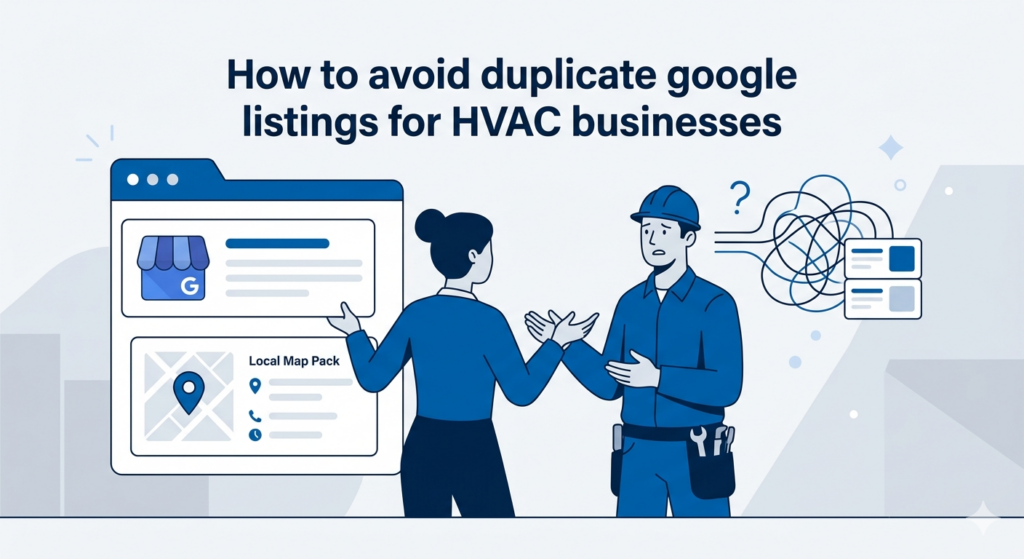
How to avoid duplicate Google listings for HVAC
Introduction
Duplicate Google listings are more common than most owners realize, especially for HVAC businesses. In most cases, the business owner didn’t create the problem. Google did, or a past agency did, or an old listing from a previous address just never went away.
What makes this worth fixing is what duplicate listings actually cost you. We once helped an HVAC client clean up their Google Business Profile and citation profile, and their Map Pack calls grew from 3 to 21 in three months. Duplicate listings and inconsistent business information were part of what was holding their visibility back.
In this long form piece, we will cover why duplicate listings form, what they do to your Map Pack rankings and lead flow, and how to find, remove, and prevent them.
What is a duplicate Google listing and why does it happen?
A duplicate Google listing exists when two or more Google Business Profile entries point to the same business. They might share the same name, phone number, or address. Or some combination of those details. But they exist as separate entries in Google’s database.
From Google’s perspective, each listing competes independently for Map Pack placement. When two listings represent the same business, they split the authority and engagement signals that would otherwise concentrate on one strong, well-optimized profile.
From a customer’s perspective, the confusion is more immediate. Which listing has the real hours? Which phone number is current? Which set of reviews reflects the actual business? That friction costs you.
How duplicates listings form
Most HVAC business owners dealing with a duplicate listing didn’t cause it intentionally. Here are the most common triggers:
-
Old listings from a previous address
HVAC businesses that have moved locations often have an original listing tied to the old address that was never properly closed. Google doesn’t automatically retire these. So the old listing sits in Google’s index alongside the new one, competing for the same customers.
-
Auto-generated listings by Google
Google sometimes creates listings from data it pulls from third-party sources. These might include directories, data aggregators, or old website information. These auto-generated entries appear without the business owner doing anything, and they’re often missing key details or using outdated contact information.
-
Multiple submissions by staff or contractors
A new employee, a web developer, or an SEO agency sets up a new GBP profile without knowing one already exists. This happens more often than you’d expect, particularly for businesses that have switched marketing agencies a few times.
-
Rebrands without proper cleanup
A business that changed its name without closing the old listing ends up with both entries in Google’s index. The old listing might still be collecting traffic and reviews from customers searching the former business name.
-
Franchise or multi-location confusion
For HVAC businesses with more than one service area or a second truck operating from a different zip code, listings can multiply if location management isn’t handled carefully. Each location needs its own verified listing. Without proper oversight, the same location might end up with two.
What duplicate listings actually do to your local search visibility
A duplicate listing actively works against your Map Pack rankings, your review count, and your ability to convert a searching customer into a booked job. Here’s what’s happening behind the scenes.
-
Split authority in the Map Pack
Google uses engagement signals to decide which listings deserve Map Pack placement. Clicks, calls, direction requests, reviews — all of it feeds into how Google evaluates which businesses should show up in the local 3-pack.
When two listings represent the same business, those signals split across both profiles instead of stacking on one. Neither listing accumulates the engagement weight needed to rank consistently, and a competitor with a single well-maintained profile could outrank both of your listings combined.
Businesses in the 3-Pack receive 126% more traffic and 93% more user actions than those ranking fourth through tenth. For split signals to push you out of those three spots, the drop in calls and website visits is immediate.
-
Customer confusion and lost calls
For most HVAC customers, finding a business with two listings, each with conflicting information often results in friction. Most customers calling you are in the middle of a problem. The AC went out on a 95-degree afternoon. The furnace stopped working overnight. They’re not going to spend time cross-referencing two listings to find your real number. They’re going to call the next option on the list.
Duplicate listings also fragment your reviews. Some customers end up leaving feedback on the duplicate profile rather than your primary one. So your review count and overall rating don’t reflect the full picture of your business, which further weakens your Map Pack standing.
-
NAP inconsistency
NAP stands for Name, Address, and Phone number which is often found on various web pages referred to as business citations. Google cross-references your business information across its own index and across the broader web to determine how trustworthy and accurate your listing is.
When a duplicate listing carries different business information than your primary GBP, it creates a conflicting NAP signal inside Google’s own ecosystem. That inconsistency reduces the trust score Google assigns to your business data, which can suppress your rankings across both organic and local search results.
-
GBP suspension risk
In some cases, Google flags businesses with duplicate listings for review or suspension. This is more likely when the duplicate appears to be an attempt to game local rankings. Even if it wasn’t intentional.
Avoiding duplicates in the first place is significantly less painful than recovering from a suspension after the fact. Once your listing is suspended, you lose all visibility while the appeal works its way through Google’s review process. For an HVAC business heading into peak season, that’s a tough hole to climb out of.
How to find duplicate Google listings for your HVAC business
Before you can fix a duplicate listing, you need to find it. Some duplicates are obvious — two pins showing up on the map when you search your business name. Others are harder to spot. Here are four ways to check, starting with the simplest.
-
Step 1 — Search Google Maps directly
Go to Google Maps and search your exact business name. You’re looking for multiple entries, slightly different name variations like ‘Smith HVAC’ versus ‘Smith HVAC Services’, or listings that show your phone number attached to a different business name.
Also try searching common misspellings of your business name and your phone number as a standalone search term. Google sometimes surfaces listings by phone number when a name search doesn’t reveal the duplicate.
Check both desktop and mobile Google Maps. They can occasionally surface different entries, so it’s worth running the same search on both. If anything looks off — a second pin, an unfamiliar listing, a profile with your number but a different address — that’s worth investigating further.
-
Step 2 — Check Google Search results
Search your business name directly in Google, not just Maps. Look at the Knowledge Panel that appears on the right side of the results page. If two Knowledge Panels appear, or two map pins show up for what should be one business location, that’s a duplicate.
From there, run a few more targeted searches. Try your business name plus your city, and then your phone number on its own. Both searches can surface listings tied to your contact information that wouldn’t come up in a general name search.
This step catches a different category of duplicates than the Maps search. Some listings don’t have a visible map pin but still appear in organic search results and knowledge panels, which means they’re still competing for your search real estate even if you can’t see them on the map.
-
Step 3 — Review your Google Business Profile dashboard
Log into your GBP dashboard at business.google.com. Under ‘Manage locations’, check whether multiple profiles appear for the same business. If you’ve ever had a previous manager or agency set up a listing, there could be a profile you don’t currently have access to — or one sitting in your account that you’ve never fully reviewed.
Pay close attention to listings with a ‘pending’ or ‘needs action’ status. These are a common source of unnoticed duplicates. A listing that was started but never fully verified can still exist in Google’s index in a partial state, and it still affects your overall GBP health.
Also check whether any listings show an old address or a previous business name. Those are strong signals that a stale duplicate is present and hasn’t been cleaned up properly after a move or rebrand.
-
Step 4 — Use a citation audit tool
The first three steps cover what’s visible on Google’s surface. A citation audit tool goes deeper. Platforms like BrightLocal, Whitespark, and Moz Local scan the broader directory ecosystem and surface duplicate or conflicting listings across Google and other platforms.
This matters because duplicates don’t always originate inside Google. Third-party directories — Yelp, Angi, Yellow Pages, and the data aggregators that feed into them — can create conflicting business entries that eventually flow back into Google’s local index. Fixing the GBP duplicate without addressing those upstream sources often means the problem re-appears.
At Klutch Growth, citation audits are part of our standard GBP optimization process for this exact reason. A duplicate listing in a third-party directory can quietly reinforce a duplicate GBP entry even after the primary conflict has been resolved. Catching it early saves a lot of cleanup work down the line.
How to remove or merge duplicate Google listings
Once you’ve found a duplicate, the resolution process depends on one key question: do you have access to the duplicate listing, or not? The steps are different depending on your answer, and Google’s current process matters here — so everything below reflects what’s in Google’s own support documentation.
Scenario A — You own the duplicate listing
If the duplicate is connected to your GBP account, you have two options: remove the profile content entirely, or mark the business as permanently closed. Both are done from your GBP dashboard at business.google.com, and only the primary owner of the listing can action either of these — manager-level access won’t be enough.
-
Mark the duplicate as permanently closed
Go to your Business Profile, select More, then Business Profile settings, then Remove Business Profile, then Remove profile content and managers. From there, turn on ‘Mark your business as permanently closed’ before selecting Continue and confirming.
Worth knowing: a closed listing won’t disappear from Maps immediately. Google removes it gradually from search results before it’s gone completely. So don’t be concerned if the listing is still visible for a short period after you’ve submitted the request.
-
Request a review migration before closing
If the duplicate has accumulated reviews over time, those reviews don’t automatically transfer when you close the listing. User-generated content and reviews do remain on the profile after removal, but your ability to manage or respond to them goes away permanently.
Before you remove the duplicate, contact Google Support through the GBP help center and ask whether a review migration is possible. Google doesn’t guarantee this, but it’s worth requesting before you lose the review history on a listing that may have been collecting feedback for years.
Scenario B — You don’t have access to the duplicate
This is the more common scenario. The duplicate exists in Google’s index, but it’s either unclaimed, connected to a former employee’s account, or was auto-generated and never verified. You can’t log in and remove it directly — so you’ll need to go through Google’s reporting process instead.
-
Report via Google Maps
Find the duplicate listing on Google Maps, click ‘Suggest an edit’, and select ‘Close or remove’ with the reason being that it’s a duplicate of another place. Google reviews these reports and typically processes them within one to three weeks, though timelines vary depending on the volume of requests Google is handling at the time.
This pathway works well for unclaimed or auto-generated duplicates. It’s a straightforward report that Google’s local team reviews as part of their standard process.
-
Submit a Business Redressal Complaint
If the duplicate listing is verified and owned by someone else — a former agency or a previous manager who didn’t hand over access — the ‘Suggest an edit’ route may not be enough. In that case, Google’s Business Profile third-party complaint form is the appropriate path. This process takes longer and may require documentation that proves your ownership of the business, so have your verification materials ready before you start.
What to do after the duplicate is removed
Removing the duplicate is step one. What you do immediately after determines how quickly your primary listing recovers and whether the problem comes back.
-
Audit your primary listing for completeness
Go through your primary GBP with fresh eyes. Business name, address, phone number, website URL, service area, hours, and business category should all be accurate and consistent with what’s on your website. If the duplicate was pulling engagement for a while, some of these details may have drifted without you noticing.
-
Submit updated info to data aggregators
Push your updated business information to the major data aggregators — Neustar Localeze, Data Axle, and Foursquare. These platforms feed business data into directories across the web, including sources that Google pulls from when building its local index. Skipping this step leaves outdated information in the ecosystem, which can re-spawn listing conflicts even after the GBP duplicate has been resolved.
-
Set up monthly GBP monitoring
Google allows users to suggest edits to any business listing, including yours. These suggested edits can quietly change your address, hours, or phone number without your immediate awareness if you’re not checking your dashboard regularly. A monthly review catches any auto-generated changes or new suggested edits before they undo the cleanup work you just did.
How to prevent duplicate listings from forming in the first place
Fixing a duplicate takes time and patience. Preventing one takes about fifteen minutes a quarter. The habits below are straightforward, and most of them only require attention at specific trigger points — a move, a rebrand, an agency change — rather than ongoing daily work.
Claim and verify your GBP listing before anyone else does
An unclaimed listing is an open invitation for problems. Google might auto-generate a second entry from third-party data, or someone else might claim the existing listing without your knowledge. Either situation puts you on the back foot before you’ve done anything wrong.
If your listing is already verified, enable two-factor authentication on the Google account it’s tied to. Unauthorized access to your account is one of the quieter ways duplicate listings get created. Also confirm that your primary account is the one holding ownership, not manager-level access. Only the primary owner can remove profile content and managers.
Manage agency and contractor access carefully
When bringing in an SEO agency or web developer, give them manager-level access to your GBP rather than ownership access. The difference matters. Managers can update your listing, respond to reviews, and add photos.
When a relationship with an agency ends, audit your GBP dashboard before the handoff is complete. Check that no duplicate listings were created during the engagement, confirm your ownership access is intact, and remove the outgoing agency’s account from your profile. This takes ten minutes and prevents a category of problems that can take weeks to fix later.
Keep NAP consistent across all platforms
Your business name, address, and phone number should be identical across your GBP, your website, and every directory listing your business appears on. That means down to the small details — ‘St.’ versus ‘Street’, ‘Suite’ versus ‘Ste.’, whether you include ‘Inc.’ in the business name. Those variations look minor but register as inconsistencies in Google’s data cross-referencing.
Handle address changes and rebrands correctly
When your HVAC business moves locations or changes its name, update the existing GBP listing rather than creating a new one. Creating a new listing and abandoning the old one is one of the most reliable ways to end up with a persistent duplicate.
After any address change, push the updated information to the major data aggregators as well. Outdated directory data is a frequent source of re-spawning duplicates even after the GBP has been updated.
Run a quarterly GBP audit
A quarterly review is a reasonable minimum for most HVAC businesses. It’s also a good cadence to pair with the citation audit we cover in our full local citations audit guide — both checks together give you a clear picture of your local search health at the same time. Here’s what to cover each quarter.
-
Verify all business information is still accurate
Go through your GBP with the same detail you’d use for a new listing. Business name, address, phone, website, hours, service area, and business category. Anything that’s drifted from what’s on your website is worth correcting immediately.
-
Check for any pending suggested edits
Any Google user can suggest edits to your listing. These suggestions sit in a pending state and can be applied to your profile without you realizing it if you’re not monitoring them. Review and respond to any pending edits during each quarterly check.
-
Confirm no new duplicate listings have appeared
Run the same Google Maps and Google Search checks from Part 3 of this guide once per quarter. After a data aggregator pushes a batch update, after a directory sync, or after any change to your business information that triggers Google’s auto-generation systems.
How duplicate listings connect to your broader local SEO health
A duplicate listing is a specific, fixable problem. But it rarely exists in isolation. Most HVAC businesses dealing with a duplicate are also carrying broader citation inconsistencies and GBP gaps that are suppressing their local rankings at the same time. Fixing the duplicate without addressing those is a partial fix at best.
Connection to citation inconsistency
Google builds its understanding of a business’s credibility from multiple data sources simultaneously — its own GBP data, third-party directories, data aggregators, and website content. A duplicate listing is often a visible symptom of a broader citation inconsistency problem: conflicting NAP data sitting across Yelp, Angi, Yellow Pages, and the aggregators that feed into all of them.
This means resolving the Google duplicate without auditing the wider citation profile tends to produce incomplete results. Conversely, businesses with tight citation consistency across the web are less likely to develop duplicate listings in the first place.
Map Pack performance
Map Pack rankings draw from multiple inputs at once — GBP optimization, citation consistency, review volume and recency, website authority, and engagement signals. This is why treating a duplicate as an isolated technical issue misses the bigger picture. The Map Pack rewards businesses whose entire local presence tells a consistent, credible story.
The Map Pack call increase we referenced in the introduction — from 3 calls to 21 over three months — came from exactly that kind of comprehensive cleanup. The duplicate listing was part of the problem, but so were the citation inconsistencies propping it up and the GBP gaps that had built up over time. Addressing all of it together is what moved the numbers, not any single fix in isolation.
FAQs about Duplicate Google Listings
-
Why does my business have two Google listings?
The most common causes are an old listing from a previous address that was never properly closed, an entry auto-generated by Google from third-party directory data, or a duplicate created by a former agency or employee.
-
Do duplicate Google listings hurt my ranking?
Yes. A duplicate splits the engagement signals; clicks, calls, direction requests, reviews, all of which would otherwise stack on a single profile. On top of that, a duplicate with outdated information creates NAP inconsistency inside Google’s own ecosystem, which further suppresses rankings across both organic and local search results.
-
How do I report a duplicate Google listing I don’t own?
Find the duplicate listing on Google Maps, click ‘Suggest an edit’, and select ‘Close or remove’ with the duplicate reason. If the duplicate listing is verified and owned by someone else, you’ll need to submit a Business Redressal Complaint through Google’s support tools, which may require documentation proving your ownership of the business.
-
Can I merge two Google listings?
Google doesn’t offer a direct merge feature. The process involves closing or removing the duplicate listing and, if it has accumulated reviews, requesting a review migration through Google Support before closing it.
-
How often should I check my Google Business Profile for duplicates?
A quarterly audit is a solid baseline for most HVAC businesses. That said, there are specific trigger points where an immediate check makes sense: after any address change, after a rebrand, after switching marketing agencies, or after any major update to your business information.
-
Will fixing a duplicate listing improve my Google Maps ranking?
It could — but the extent of the improvement depends on how much the duplicate was actively splitting your authority and engagement. The most noticeable results tend to come when duplicate removal is paired with a broader cleanup i.e. getting more accurate citations, a fully optimized GBP, and consistent NAP across the web.
Need help with boosting your HVAC business listings?
Most HVAC owners don’t know whether they have a duplicate listing. Google won’t send you an alert if one appears, it will probably just build quietly in the background while you’re focused on running your business.
We offer a free GBP audit that checks for duplicate listings, citation inconsistencies, and optimization gaps across your local search presence. You’ll get a clear picture of what’s affecting your Map Pack visibility and exactly what needs to be addressed — no guesswork, no obligation.
Talk to our in-house local SEO expert and book your free GBP audit today.
Recent Posts
March 21, 2026
March 20, 2026
February 20, 2026