


Before You Go—Let’s Boost Your Leads!
Join our community of successful HVAC and Plumbing contractors who trust Klutch Growth to enhance their online presence.
Klutch Growth Blog
HVAC Google Maps Guide: Rank Higher and Get More Calls
Google Maps isn’t only handy for finding a client’s address on the day of the job. It also puts your HVAC business on the map, literally, when nearby homeowners need heating or cooling help. According to BrightLocal, 80% of US consumers search online for local businesses every week. And after Google search itself, Google Maps is the second most trusted source people use to check out a local business. So how do you rank higher on Google Maps in your service area? It comes down to four things: a verified, accurate Google Business Profile, a steady flow of real reviews, consistent citations, and a website that backs them up.
This HVAC Google Maps guide covers the ranking factors Google uses and the 6 steps that move your profile up the map. We’ll start with the basics of Google Maps marketing. If you already know them, skip ahead to the step-by-step guide using the table of contents.
How HVAC Google Maps Marketing Turns Searches Into Booked Calls
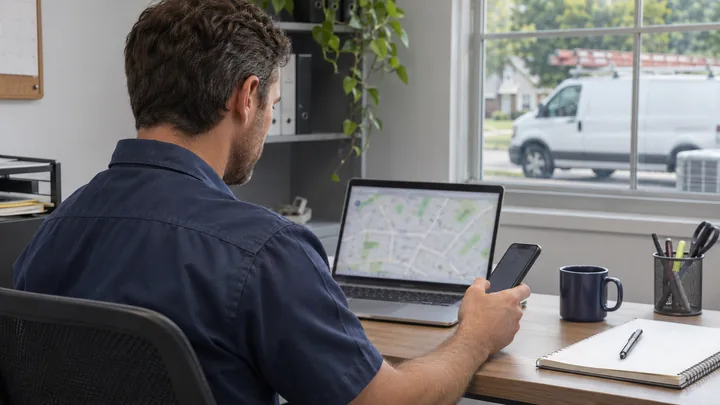
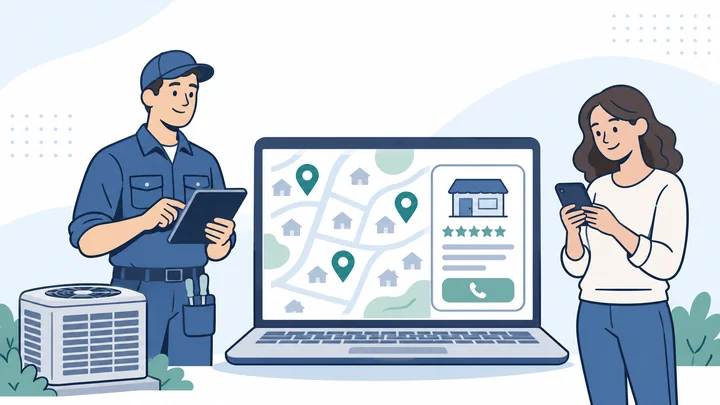
HVAC Google Maps marketing gets your business into the map results homeowners see when they need heating or cooling help. Done well, it turns those searches into calls. Google Maps works as both a navigation tool and a local business directory, so it’s a natural place to find the nearest service company. Its listings come from Google Business Profile (once called Google My Business). That means the same listing shows up in Google Maps and in the map results on regular Google search.
Most local searches happen on Google Search. The map feature there is called the Map Pack, which shows the top 3 businesses near the searcher. On the flip side, people who search in the Maps app get a longer list of businesses in the area.
One in five consumers now search for local businesses directly in map apps. Map results let homeowners compare ratings, review counts, hours, photos, and distance. That helps them pick a company faster.
The work in Google Maps marketing, often called Google Maps SEO, is to optimize your Google Business Profile and service area settings. That way you show up in direct map searches and in broader local searches. Location pages on your site and accurate service listings help too. You can read how to build a broader plan that ties these together in our HVAC marketing strategies guide. If you’d rather hand this off, our HVAC SEO services can handle the profile, reviews, and rankings for you.
How Google Ranks HVAC Companies on Google Maps
Google’s own local-ranking documentation breaks ranking down into three factors: relevance, distance, and prominence. Google weighs all three together. So a business that’s farther away can still outrank a closer one if its profile is a better match and better known.
Relevance
Relevance measures how well your profile matches what someone searched for. To judge it, Google looks at your Google Business Profile, your website content, and other information about your HVAC services.
Distance
Distance measures how far a searcher sits from your verified business location. This is why two homeowners in a large metro area can search the same phrase and see two different sets of results.
Prominence
Prominence reflects how well known your business is. Google bases it on your review count and rating, plus links, articles, and directory listings across the web.
| Factor | What you control | What you can’t control |
|---|---|---|
| Relevance | Categories, services, website content, and profile accuracy | Which exact search queries Google associates with your profile |
| Distance | Your legitimate business location and service model | Where the searcher is standing and who else is nearby |
| Prominence | Reviews, local links, citations, and brand recognition | A competitor’s history and offline reputation |
6-Step Guide to HVAC Google Maps Ranking
These 6 steps follow the order that matters most. Secure the profile first, then fill it out, then build the reviews, citations, and proof that move it up the map.
Step 1: Claim, Verify, and Secure Your Google Business Profile
Before you create anything, search for your business on Google Maps. If a listing already exists, even an old or incomplete one, request ownership of it. Don’t create a duplicate. Duplicate profiles cause the kind of conflicts that can get listings suspended.
To request ownership, you submit a claim through the existing profile. Then you wait for the current owner to respond, or for Google to step in after a set waiting period. It takes longer than starting fresh, but it keeps the reviews and history already on that listing.
The business owner should stay listed as the primary owner on the account. If you work with an agency like Klutch Growth, give it manager access, not primary ownership. Losing control of your own listing is a much bigger problem than managing one extra login.
Turn on two-factor login for the account that owns the profile. Write down which email address has access. Save your business license, a recent utility bill, photos of your service vehicles, and your insurance papers somewhere safe. You’ll need them if Google ever asks you to verify again.
How HVAC Video Verification Works
Google decides which verification method your business needs, and more and more often, that method is video. According to Google’s video-verification requirements, a service-area business like your HVAC company needs to show three things. First, street signs or landmarks near your business address. Second, the tools, equipment, branded van, or uniforms you work with. Third, proof you run the business, like a permit, invoice, or utility bill that matches the name on your profile.
Google requires the video to be live, continuous, and unedited. You record and upload it from a mobile device through your Business Profile, and it must run at least 30 seconds.
Step 2: Optimize Your Google Business Profile for HVAC Searches
To optimize a Google Business Profile for HVAC, fill out every field with accurate details. Then let your categories and services, not your business name, tell Google what you do.
Business Name
Use your real business name exactly as it appears on your paperwork, signs, and website. Google’s business representation guidelines say your name should match how your business is known in the real world. Adding keywords or city names to it can get your profile suspended. Let your categories and services do the keyword work instead.
Storefront, Hybrid, or Service-Area Business
Your business type determines whether your address should be public. If customers can visit you during stated hours at a location with signage and staff, you’re a storefront or hybrid business. The storefront model fits if you sell HVAC products at a shop customers visit. The hybrid model fits if customers can visit your office and you also travel to them.
If you travel to customers and never serve them at your base, you’re a service-area business. Keep your address hidden. A one-truck shop with no office customers visit fits here too.
Primary and Secondary Categories
You pick one primary category, and you can add others as secondary ones. The primary category carries the most ranking weight. Google leans on it to decide which searches you can show up for. Say ductless systems are your specialty, but you’re mainly a general HVAC contractor. Then HVAC contractor goes in the primary slot, and the specialty becomes a secondary category.
Common categories for HVAC businesses include HVAC contractor, air conditioning contractor, air conditioning repair service, heating contractor, and furnace repair service. Add air duct cleaning service only if you offer it.
Services
Most HVAC companies list AC repair, AC installation, furnace repair, heat pump service, ductless mini-splits, maintenance, indoor air quality, thermostats, and commercial work. Add duct cleaning only if you offer it. This matters more now that searches read like real questions. A search like “ductless AC installation for a converted garage” tends to surface businesses that list that exact service.
Service Areas
Google lets a service-area business list up to 20 cities or areas. According to Google’s service-area guidance, your coverage generally shouldn’t stretch more than about two hours’ drive from your base. Service areas tell customers where you work. They don’t create 20 extra locations, and they don’t cancel out the distance factor covered earlier.
Hours, Phone, Website, Description, and Booking Links
Mark yourself as open 24/7 only if a real person answers 24/7. Keep your holiday and special hours current. Use a local phone number your business controls, and link to your homepage or the most relevant location page. Add a booking link if your system supports one.
Write your business description for the customer reading it, not to stuff in keywords. Then fill out every attribute that applies to you.
Step 3: Make Your HVAC Website Reinforce Your Maps Visibility
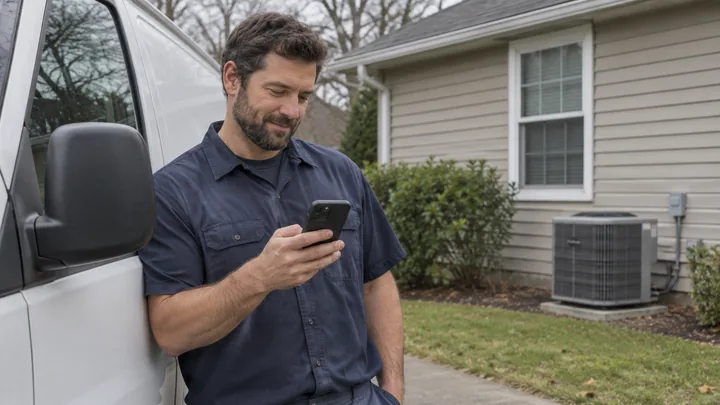
Your Google Business Profile has one main website link, so point it at the page that best supports the searches you want to win. For most single-location HVAC companies, that’s the homepage. If the profile serves one city among several you cover, a matching location page can work better. Then make sure that page links clearly to your service pages, like AC repair and furnace installation, so visitors from Maps are one click from what they searched for. If your current site can’t do that, start with a website built for HVAC searches.
Case study and project pages help too. They often name the neighborhoods and landmarks where you worked. Location pages and case studies also build trust. Use them to show recent jobs, tech bios, license numbers, warranty terms, financing options, and testimonials tied to real work.
Keep these details the same on your website and your Google Business Profile:
- Business name
- Street address
- Available service options
- Customer service email
- Phone number
- Opening days and hours
Step 4: Build a Compliant HVAC Review System
HVAC companies get more Google reviews by asking every customer the same way. Ask at the right moment, send a direct link, and never offer a reward.
A review request works best right after you’ve confirmed the job solved the customer’s problem, not the moment the invoice gets paid. Finish the work and check that the AC is cooling or the furnace is heating the way it should. Then send the same honest review request to every eligible customer.
Send that request with a direct link to your Google review form. Every extra step between the request and the form costs you responses. One reminder a few days later is fine, but repeated follow-ups start to feel like pressure.
Set up an alert so someone on your team knows when a new review comes in. Reply to each one quickly and politely, whether it’s glowing or frustrated.
Google bans offering any reward for a review, like a discount or a gift card. According to Google’s review guidance, asking only happy customers breaks the rules too. That practice is called review gating. Buying reviews is also banned.
For message templates and a step-by-step request sequence, see our guide on getting more Google reviews.
Step 5: Strengthen Prominence With Citations, Links, and Local Proof
Citations, also called local citations, are listings of your business name, address, and phone number on other sites. You’ll find them on directories and on lists like brand dealer pages. Keep them accurate and the same everywhere. That builds the prominence signal behind your Google Maps ranking.
A few accurate, relevant citations do more than a hundred low-value directory listings. Start with HVAC sources, dealer pages for brands you carry, licensing directories, the BBB, and your local chamber of commerce. Skip the generic directory mills.
Real local links carry more weight than citations alone. Links from suppliers, trade associations, sponsorships, community events, and local news are hard for a competitor to fake. Each one shows Google you’re a real business in the area you serve.
If you’re not sure where your citations stand today, our guide on citation audits walks through how to check.
Step 6: Use Photos and Posts to Win the Call, Not Chase Hacks
Photos
Upload real photos instead of stock images. Show your wrapped trucks, technicians in uniform, your team, and your equipment. Add completed installs, before-and-after shots of real jobs, your office or storefront if you have one, and community events you’re part of.
Posts
Google Posts work well for seasonal tune-up reminders, heatwave or cold-snap availability, financing offers, recent installs, and team news. Treat them as a communication and conversion tool, not a confirmed ranking lever. Posting monthly might help your Map Pack rankings over time, but there’s no guarantee. What posts can do is earn more engagement and more calls.
Q&A and AI-Generated Answers
Google discontinued its Business Profile Q&A API on November 3, 2025, so outside tools can no longer manage your profile’s Q&A section. Don’t try to game an automated Q&A feature. Put the answers customers ask for most where they’ll hold up: your profile fields, your service pages, and a visible FAQ on your website.
How to Rank in Nearby Cities Without Fake HVAC Locations
Distance makes it harder to rank in a city far from your verified base. No amount of profile work can erase that. Service areas tell Google and searchers where you’re willing to work, but they don’t act as extra offices.
That said, showing up outside your immediate area isn’t impossible. Your HVAC business can sometimes rank farther from your base when it’s a better match and better known than weaker nearby competitors. There’s no guarantee, though, so don’t make it your main strategy.
The safer path is to build useful city or service pages for the areas you serve. Back each one with proof from that market: jobs you’ve done, real customers, and the neighborhoods you work in.
According to Google’s duplicate-profile guidance, separate profiles only make sense for real locations, each with its own staff. A single service-area business usually needs one profile, not one for every city it serves.
If your company moves, update your existing profile with the new address. Don’t create a new one and leave the old listing live. That old listing becomes the kind of duplicate that works against you.
To see how duplicates happen and how to clean them up, read our guide on avoiding duplicate Google listings.
How to Track Google Maps Rankings, Calls, and Booked Revenue
Track Google Maps results in three layers: visibility, leads, and business outcomes.
Visibility
Visibility metrics include the search terms that trigger your profile, how many people view it, and your geo-grid coverage. A geo-grid shows how you rank from different points around your service area, not just one central spot. Check your Local Pack rank by neighborhood and for each core service, not just one headline keyword.
Leads
Leads cover call-button clicks, tracked calls, website clicks, form fills, booking requests, and direction requests where they apply. This layer sits between visibility and revenue. It shows whether people who find you actually reach out.
Business Outcomes
Business outcomes are the numbers that matter most: answered calls, qualified leads, booked jobs, revenue, average ticket, close rate, and cost per booked job. A company can rank well and get plenty of calls but still lose money if its close rate or average ticket is off. This layer shows if the work is paying for itself.
Google’s Business Profile Performance reporting covers searches, views, direction requests, call clicks, website clicks, and bookings. That gives you a starting point for the first two layers before you add other tools.
To connect all three layers, start by adding UTM parameters to your profile links. Set up your GA4 events, and use call tracking that separates sources instead of one number for everything. Then add CRM source tracking, so each booked job traces back to the search that started it.
Run a monthly geo-grid with the same search terms and points each time, so you compare the same data month over month. Keep ranking changes and booked revenue as separate numbers in your reports, instead of blending them into one.
For a full setup walkthrough, read our guide on tracking local SEO performance for HVAC companies.
9 Google Maps Mistakes That Hurt HVAC Companies
If you’re wondering why you’re not ranking on Google Maps, the cause is rarely a hidden algorithm quirk. Most HVAC profiles that struggle in the Map Pack have one or more of these avoidable problems.
- Creating a new profile instead of claiming the one that already exists. That creates duplicate listings that can hold back both profiles.
- Stuffing services or city names into the business name, which puts the listing at real risk of suspension.
- Showing a home or warehouse address when customers never visit it, which breaks Google’s guidelines.
- Using a PO box, virtual office, or a fake secondary location just to claim a presence in another market.
- Picking a primary category that doesn’t match your core business, which limits the searches you can show up for.
- Listing wrong hours, service areas, phone numbers, or website links, which hurts customer trust and your rankings.
- Losing access to the profile, or giving an agency primary ownership instead of manager access.
- Buying, rewarding, gating, or scripting reviews, all of which break Google’s review policies.
- Chasing tactics like geotagging, daily posting, or oversized service areas instead of tracking the basics that drive results.
If more than one of these sounds familiar, work through the fixes in this order. Some of these problems block real progress on the others until they’re resolved.
- Eligibility and ownership: your business qualifies for a profile, and you control it.
- Accuracy and compliance: your core details are correct and follow Google’s rules.
- Categories and services: your profile shows what you actually do.
- Reviews and reputation: you have an honest, compliant review system running.
- Website and prominence: your site and citations back up the profile.
- Conversion and measurement: you can track what all of this produces.
A 30-Day HVAC Google Maps Action Plan
You don’t need to tackle everything in this guide at once. Spread it across a month, and the fundamentals fall into place in a sensible order.
| Week | Focus |
|---|---|
| Week 1 | Confirm ownership, find and merge duplicates, document baseline rankings, review eligibility, and fix name, address, or service-area issues. |
| Week 2 | Update categories, services, hours, phone number, website link, description, images, booking links, and UTM parameters. |
| Week 3 | Launch your review workflow, correct priority citations, improve service and location pages, and pursue local links. |
| Week 4 | Measure profile actions and geo-grid visibility, review call quality, fix conversion problems, and establish ongoing monthly maintenance. |
HVAC Google Maps FAQs
How Do I Rank My HVAC Company Higher on Google Maps?
To rank your HVAC company higher on Google Maps, you need four things. Start with a complete, accurate Google Business Profile. Add a steady flow of real reviews, a website that backs up the profile, and consistent citations. Together, they build the relevance and prominence Google ranks on.
What Is the Best Google Business Profile Category for an HVAC Company?
For most HVAC companies, the best primary category is HVAC contractor. Specialists can add secondary categories that match their work, like air conditioning repair service or furnace repair service.
Can a Home-Based HVAC Company Have a Google Business Profile?
Yes, as long as it’s set up as a service-area business with the home address hidden. You’ll still need to meet Google’s eligibility rules and pass verification.
Does Adding More Service Areas Improve Google Maps Rankings?
No. More service areas don’t automatically mean better rankings. They tell customers where you work, but distance from your verified base still shapes where you rank.
How Many Service Areas Can an HVAC Company Add?
Google allows up to 20 cities, postal codes, or other areas. Your total coverage should generally stay within about two hours’ drive of your business base.
Do Google Reviews Help an HVAC Company Rank Higher?
Yes. Reviews feed your prominence, which is one of Google’s three ranking factors. Real reviews with specific details tend to help more than generic five-star ratings.
How Many Google Reviews Should an HVAC Company Get?
There’s no official target, and Google doesn’t publish one. Instead of chasing a number, let your review pace follow your job volume. Ask every eligible customer the same way, every time.
Do Google Business Profile Posts Improve Rankings?
Google hasn’t confirmed posting frequency as a ranking factor. Treat posts as a way to talk to customers and win calls, not as an SEO tactic. They’re useful for seasonal availability, financing offers, or recent work.
Does Geotagging HVAC Photos Improve Google Maps Rankings?
No. Adding geotags to photos has no proven ranking benefit, even though it’s a popular local SEO myth. Upload real photos of your team, trucks, and finished work to build trust instead.
Can an HVAC Company Create Profiles in Every City It Serves?
No, not as a standard service-area business. Google only allows separate profiles for real locations with their own staff and operations. One profile covering your full service area is usually the right setup.
How Long Does It Take to Rank on Google Maps?
Your profile can start showing on Google Maps as soon as it’s verified. Rankings then improve as you build real reviews, citations, and local authority, which add up over months.
How Should an HVAC Company Track Google Maps Leads?
Track searches, profile views, calls, form fills, booked jobs, and revenue. Then connect them with UTM links, call tracking, and CRM source data, so you can see which Maps searches turn into paying jobs.
Is Google Guaranteed the Same as Ranking in the Map Pack?
No, they’re separate. Google Guaranteed is a badge that comes with Local Services Ads, a paid program with its own screening. Ranking in the Map Pack is organic and driven by relevance, distance, and prominence.
Can You Pay Google to Rank Higher on Google Maps?
No. You can’t pay to rank higher in the organic Map Pack. Paid options like Local Services Ads and Google Ads appear in separate spots labeled as ads.
Conclusion and Next Steps
HVAC Google Maps visibility comes down to three factors: relevance, distance, and prominence. Every tactic in this guide serves one of them. Get your details right and follow Google’s rules first. A suspended or duplicate profile undoes everything else you do.
Even a complete, accurate profile needs your website, reviews, local authority, and real tracking behind it to become more than a listing. And none of it matters unless it brings in qualified, booked calls. That’s the goal behind every step in this guide.
If you’re not sure what’s keeping your HVAC company out of the Map Pack, request a Google Maps visibility audit from Klutch Growth. We’ll check your profile, local competitors, website, and rankings, then show you what to fix first.
Recent Posts
November 10, 2026

August 31, 2026

June 19, 2026